How to Write AI Image Prompts: A Step-by-Step Guide

Turn a rough visual idea into a prompt an image model can act on. Learn one reusable formula, follow a five-step revision loop, and study 10 prompts built for real creative tasks.

LumiYing Editorial TeamUpdated September 3, 202612 min read

Quick Answer

How do you write an effective AI image prompt?

Write an AI image prompt like a compact visual brief. State the image's purpose, name the subject and action, place them in a scene, define the framing, lighting, color, and medium, then add only the constraints that matter. Generate once, judge the biggest miss, and revise one decision at a time.

Seven-part prompt formula

[Purpose & format] + [Subject & action] + [Scene] + [Composition & camera] + [Light & color] + [Medium & style] + [Constraints]

Prompt Anatomy

Build the prompt from seven visual decisions

You rarely need every possible adjective. Make the decisions that control the final asset, write them in a clear order, and leave unimportant details out.

01

Purpose and format

Tell the model where the image will be used and what shape the composition must support.

Useful detail: Wide homepage hero with empty space on the left for copy.

Avoid: Asking for a beautiful image without naming the job it must do.

02

Subject and action

Name the central person, object, or scene, including count, defining traits, and visible action.

Useful detail: One amber glass bottle standing on a cream stone pedestal.

Avoid: Vague nouns such as product, person, or city when identity matters.

03

Scene and context

Describe the place, time, surrounding objects, and spatial relationships that establish context.

Useful detail: A quiet pottery studio with unfinished clay vessels on shelves.

Avoid: Mixing unrelated locations or adding props that compete with the subject.

04

Composition and camera

Control viewpoint, framing, subject placement, depth, and any area that must remain clear.

Useful detail: Eye-level medium portrait, subject on the right third, clean space on the left.

Avoid: Stacking conflicting directions such as close-up, full-body, overhead, and wide shot.

05

Light and color

Use physical light direction and a restrained palette to establish form and mood.

Useful detail: Soft window light from the left with warm ivory and muted cobalt tones.

Avoid: Generic words such as cinematic lighting when the direction and contrast matter.

06

Medium and style

Choose one clear visual medium, then add only compatible treatment cues.

Useful detail: Photorealistic editorial still life with subtle film grain.

Avoid: Combining photography, watercolor, pixel art, and 3D in the same instruction.

07

Constraints

State the details that must remain fixed or must not appear, especially text, logos, counts, and references.

Useful detail: Exactly one person, blank notebook pages, no logos or watermark.

Avoid: A long negative list that introduces more concepts than the main prompt.
Five-Step Workflow

How to write AI prompts for images without rewriting everything

Move from outcome to first generation, then use the result as evidence. A controlled revision is more informative than replacing the whole prompt after every miss.

Step 01

Define the job and canvas

Decide whether the output is a product image, portrait, poster, social post, concept frame, or banner. Choose the intended aspect ratio and identify where text or UI will sit before describing visual style.

Step 02

Lock the subject and action

Name the subject, quantity, defining materials or traits, and the one visible action. Concrete nouns close the gaps an image model would otherwise fill for you.

Step 03

Place the subject in a composed scene

Add the setting, foreground and background relationships, viewpoint, shot size, and subject placement. Use spatial language such as left, foreground, or behind only when it affects the result.

Step 04

Add light, color, medium, and constraints

Choose one medium, specify useful light direction and palette, then add a short must-keep or must-avoid line. Keep model settings outside the prose when the interface already controls them.

Step 05

Generate and revise one variable

Identify the largest mismatch: subject, composition, light, style, or unwanted detail. Change that instruction only, generate again, and preserve what already works.

Worked Examples

10 AI image prompt examples explained as visual briefs

Each example starts with an under-specified request, replaces it with a production-ready brief, and identifies the next controlled revision. Copy the stronger prompt, then adapt the facts that matter to your image.

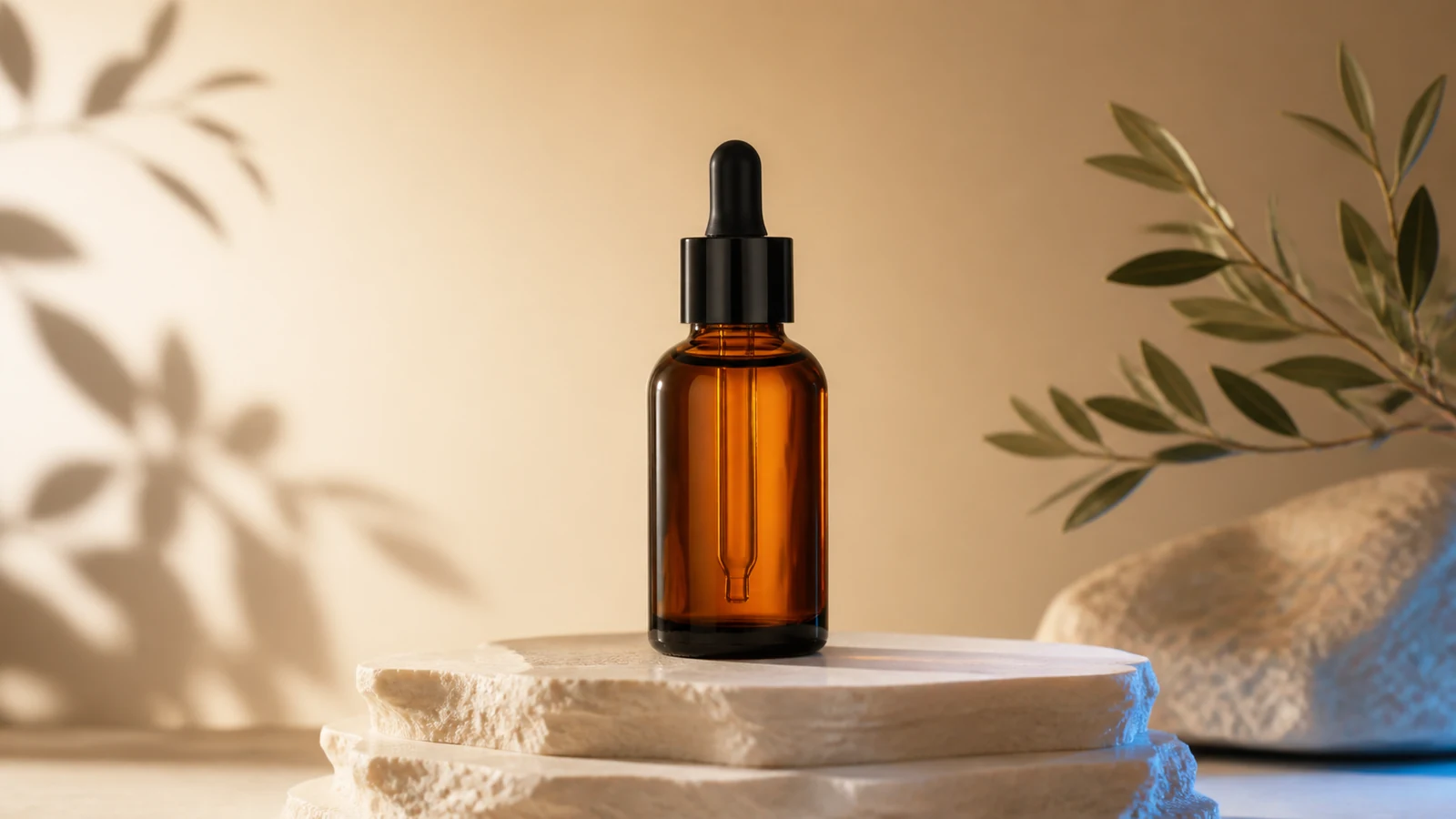
AI image prompt example for an amber skincare product advertisement
Creative goal

Product advertising

Create a clean hero image for an unbranded skincare campaign.

Weak prompt

Make a luxury skincare ad.

Improved prompt

Wide premium product photograph of one unbranded amber glass skincare bottle on a sculpted cream stone pedestal, soft warm studio gradient, realistic reflections, subtle botanical shadows, centered composition, polished ecommerce lighting, no text, no label, no logo, no watermark.

Why it works: The prompt fixes the product count, material, pedestal, light, composition, commercial medium, and brand constraints.

Refine next: If the bottle feels flat, change only the light direction or reflection strength before altering the set.

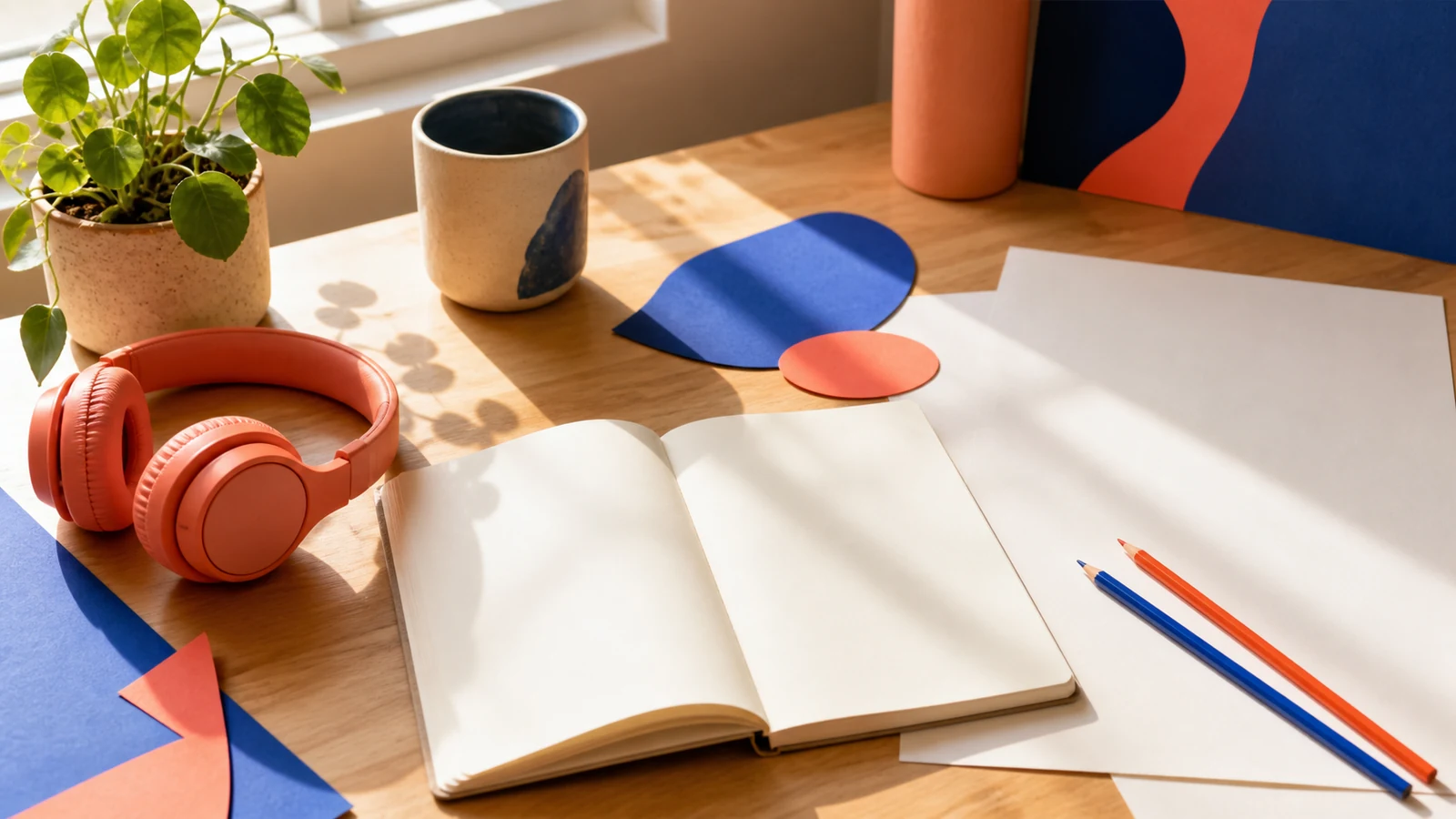
AI image prompt example for social media content with clean caption space
Creative goal

Social content

Generate a bright editorial workspace with room for a social caption.

Weak prompt

A cool creator desk for Instagram.

Improved prompt

Wide contemporary editorial photograph of a creative desk beside a sunlit window with no electronic devices: plain coral headphones, a completely blank open sketchbook, clean ivory paper, blue and orange pencils, a ceramic cup, a small green plant, and abstract cobalt and coral paper shapes. Energetic but tidy composition with clean negative space, no text, logos, brands, or watermark.

Why it works: The asset purpose controls the layout, while the object list and exclusions prevent screens, fake interfaces, and accidental brand marks.

Refine next: Move the negative space to the side where your real caption will appear; keep the props unchanged.

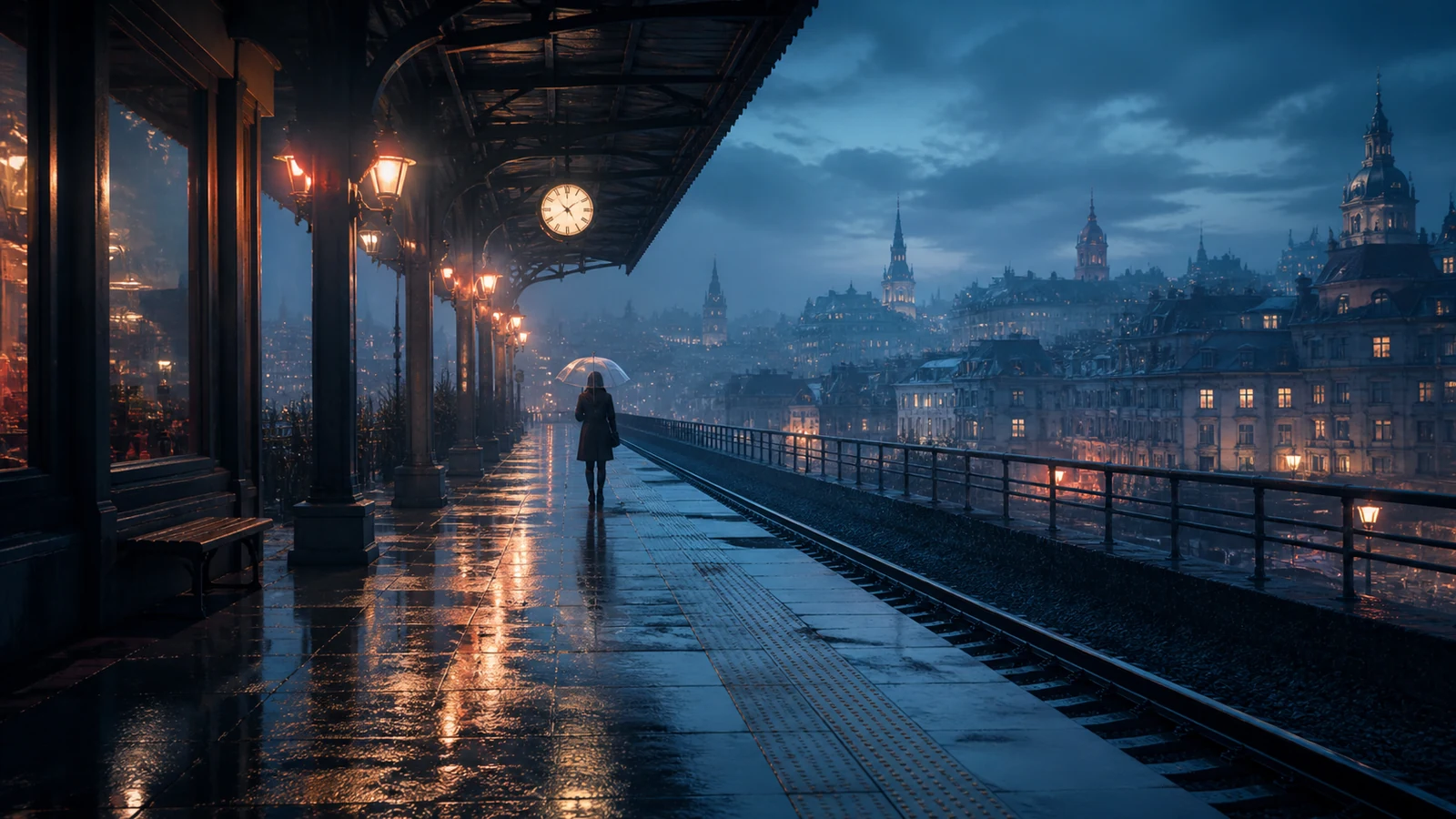
Cinematic AI image prompt example of a rainy elevated train station
Creative goal

Cinematic concept art

Visualize a grounded atmospheric location before storyboard or video production.

Weak prompt

Epic rainy train station, cinematic.

Improved prompt

Wide 16:9 cinematic concept artwork of a rain-soaked elevated train station at blue hour, one small distant traveler under a transparent umbrella, reflective pavement, warm practical lights, volumetric mist, grounded production design, realistic scale, restrained teal-blue and coral palette, no text, logos, brands, or watermark.

Why it works: A time of day, subject scale, weather behavior, practical light sources, and palette replace the ambiguous word cinematic.

Refine next: If the station overwhelms the traveler, adjust only the camera distance or subject scale.

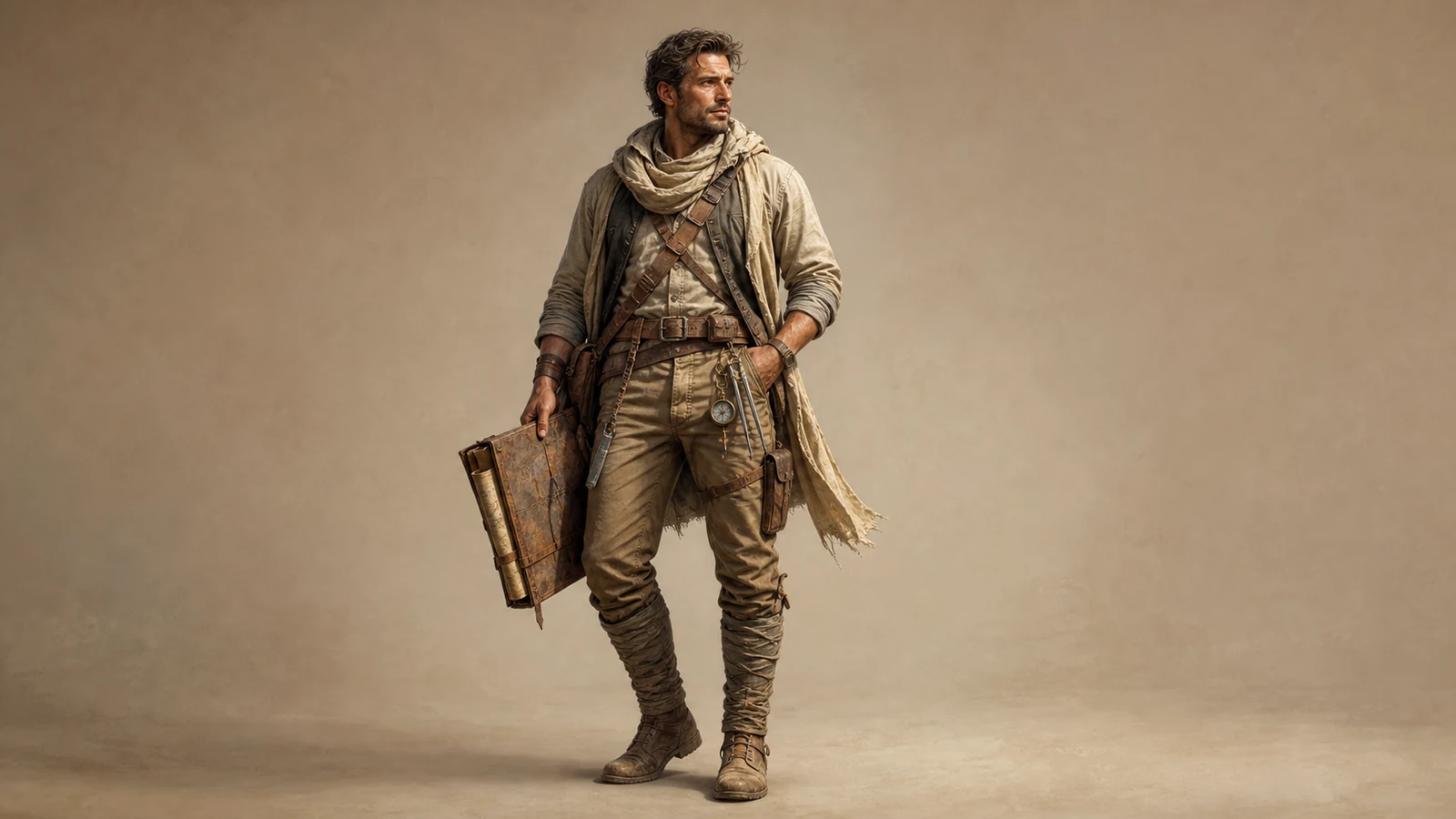
AI character design prompt example for a desert cartographer
Creative goal

Character design

Create a readable full-body character concept with practical equipment.

Weak prompt

Fantasy desert explorer character.

Improved prompt

Full-body character design of one resourceful adult desert cartographer, layered practical travel clothing, weathered map case, compact compass and lightweight survey tools, warm neutral studio backdrop, stylized realism, confident relaxed stance, detailed fabric textures, believable anatomy, breathing room around the silhouette, no text, labels, logo, or watermark.

Why it works: Occupation, age, equipment, pose, backdrop, framing, and material detail give the design a specific function and silhouette.

Refine next: Change one wardrobe layer or tool at a time so the character identity does not drift.

Editorial AI image prompt example about human and AI creativity
Creative goal

Editorial illustration

Build an original visual metaphor for an article about human and AI collaboration.

Weak prompt

An illustration of humans working with AI.

Improved prompt

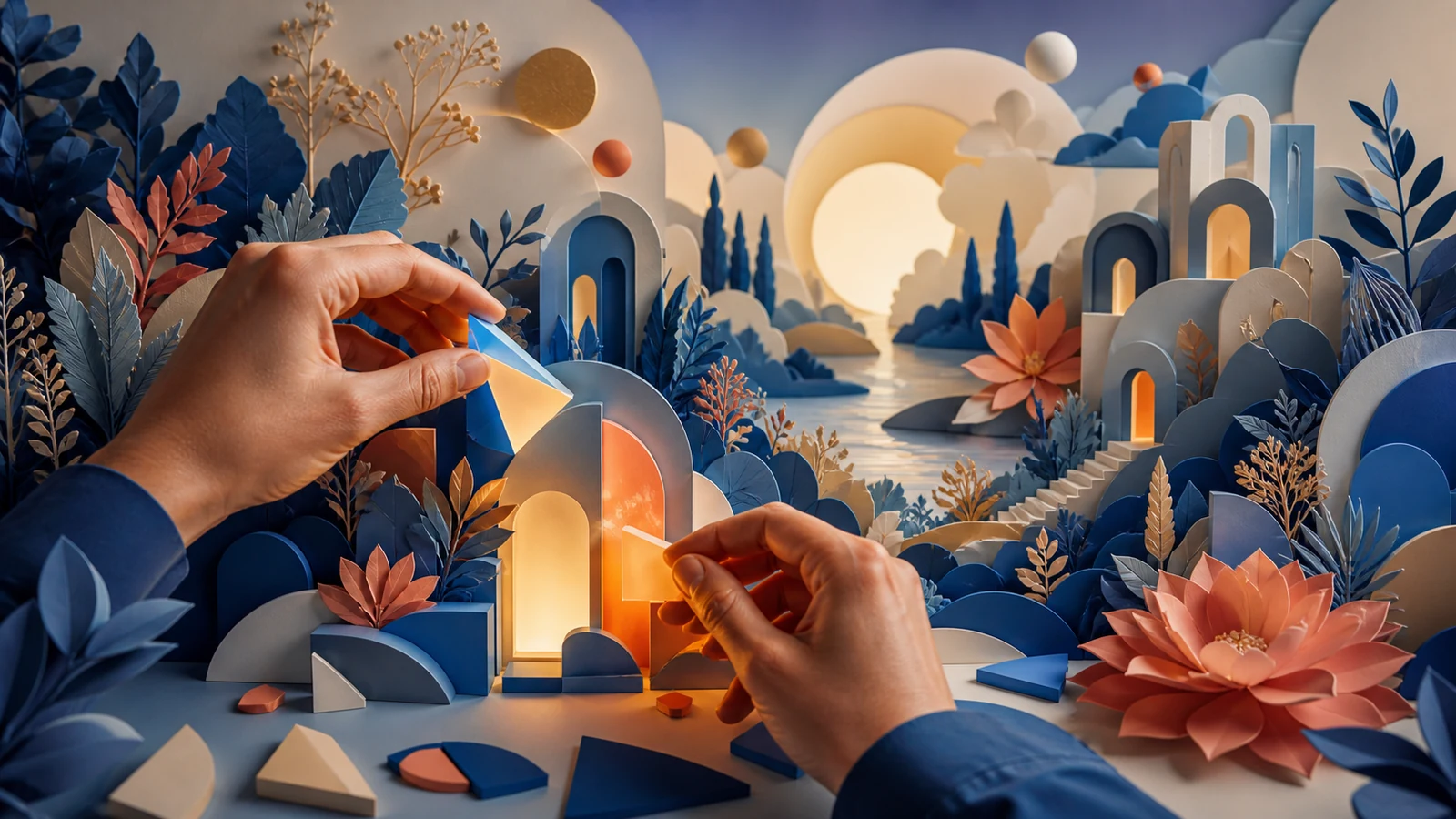
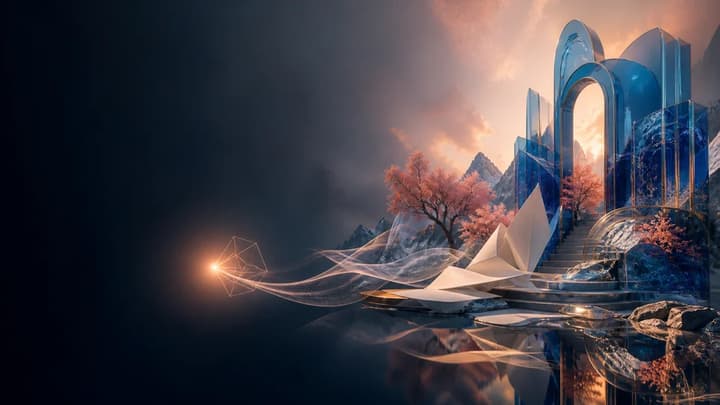
Wide original editorial illustration about human creativity collaborating with artificial intelligence: a pair of anatomically natural human hands arranges luminous geometric fragments that become a vivid imagined landscape of plants, architecture, and light. Layered paper-cut forms mixed with soft 3D materials, cobalt, coral, and ivory palette, no text, writing-like symbols, logos, or watermark.

Why it works: The abstract topic becomes one visible action and one coherent metaphor, with a controlled medium and explicit symbol constraint.

Refine next: If the metaphor is unclear, simplify the transformation rather than adding more symbolic objects.

Abstract AI image prompt example for a cobalt and coral brand visual
Creative goal

Brand visual

Create a flexible abstract campaign asset without imitating an existing brand.

Weak prompt

A premium futuristic brand background.

Improved prompt

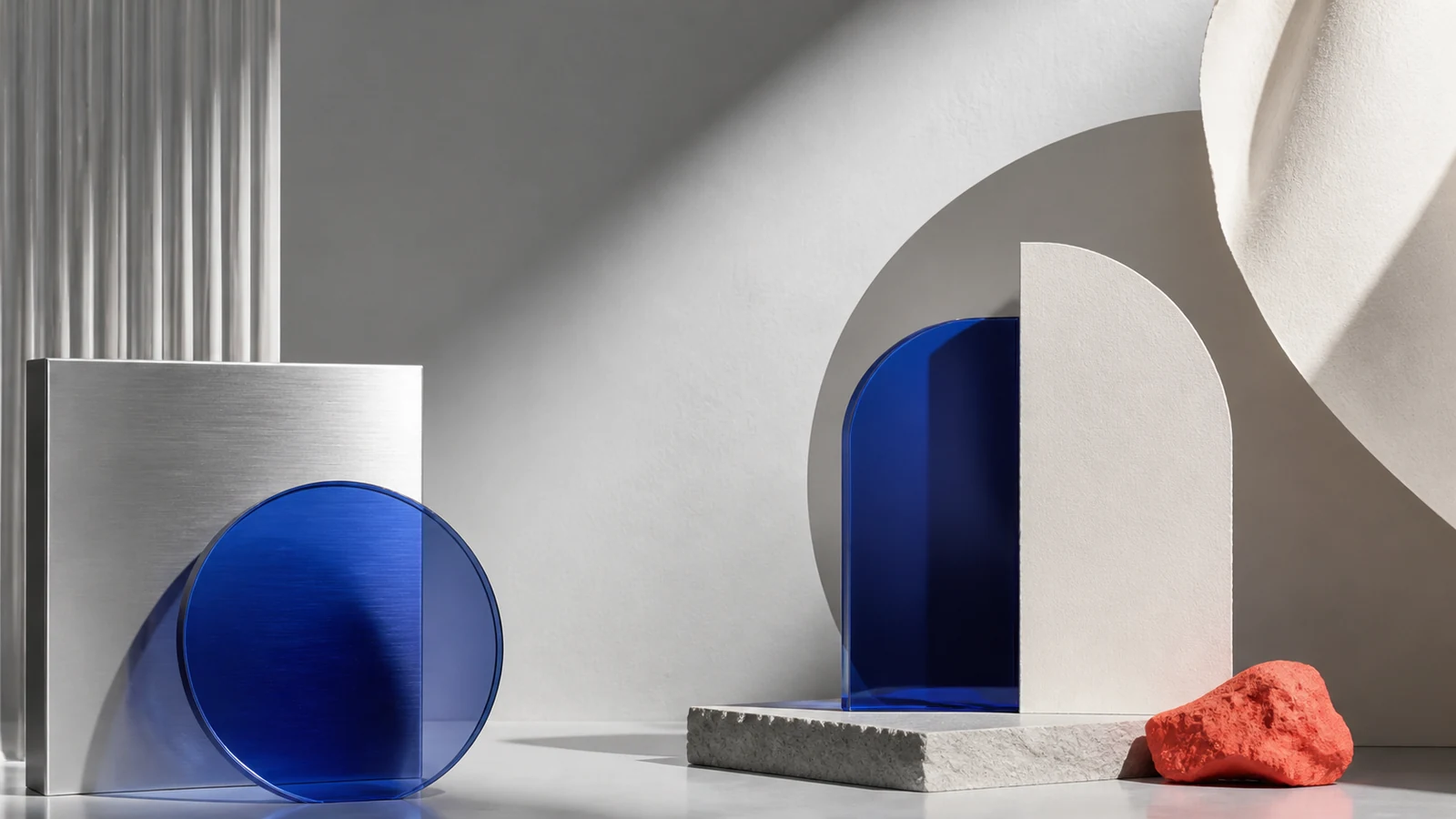
Wide abstract premium campaign visual using translucent cobalt glass, brushed aluminum, soft ivory paper forms, and one vivid coral accent. Precise studio shadows, refined material realism, asymmetrical gallery composition, generous negative space, contemporary art direction, no words, typography, logos, recognizable brands, or watermark.

Why it works: Specific materials, palette, composition, and exclusions establish an ownable system without relying on a brand or artist name.

Refine next: Adjust one material or the negative-space position to fit the next campaign layout.

AI portrait prompt example of a ceramic artist in a daylight studio
Creative goal

Portrait photography

Create a natural environmental portrait with useful copy space.

Weak prompt

Professional portrait of a pottery artist.

Improved prompt

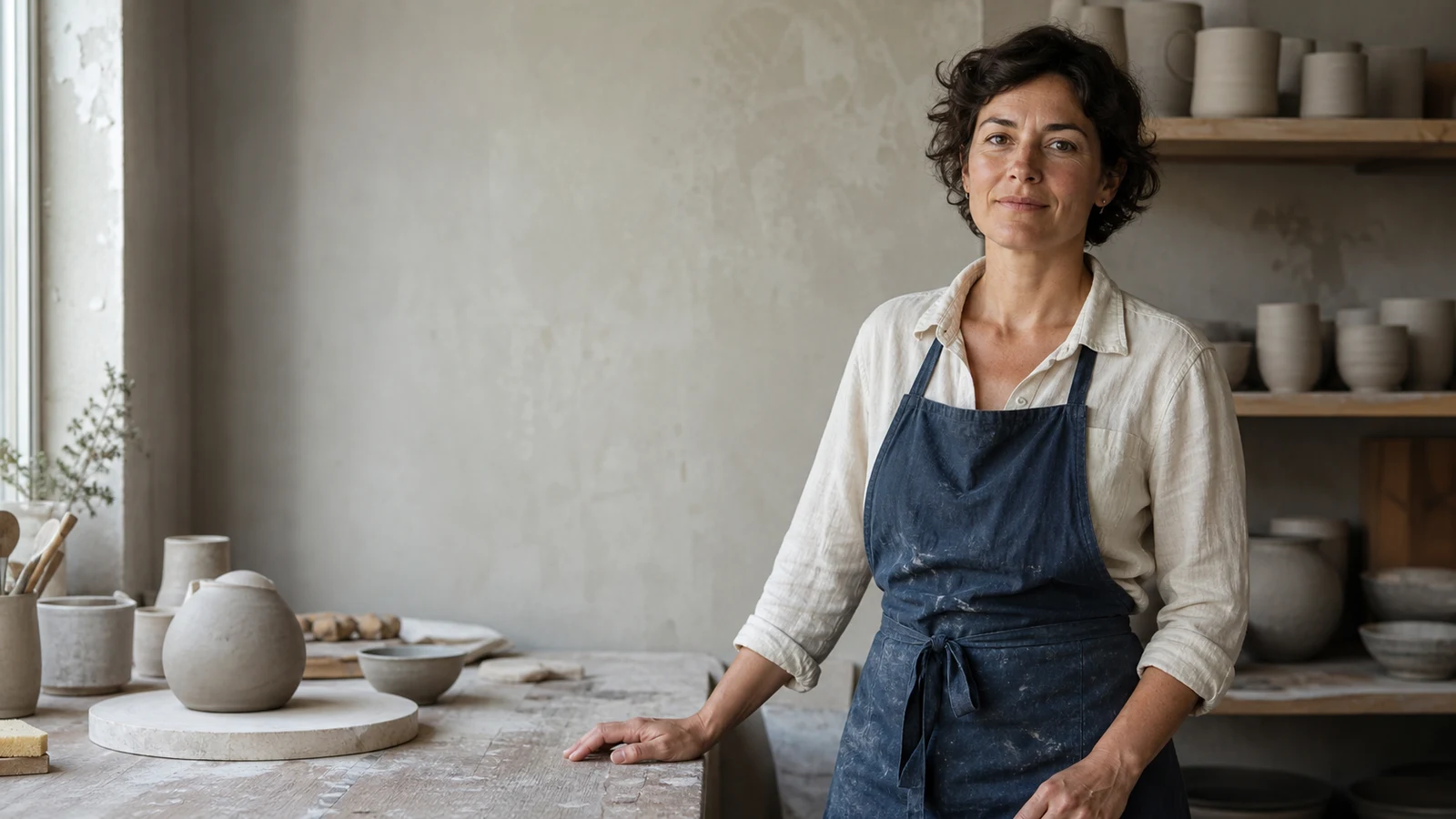
Wide environmental portrait of one independent ceramic artist in her early forties beside a worktable in a quiet daylight pottery studio. Short dark wavy hair, natural expression, indigo work apron over an ivory linen shirt, hands resting naturally on the table, unfinished neutral clay vessels on shelves, subject on the right third, eye-level medium framing, soft north-window light from the left, real skin and fabric texture, clean space on the left, no text, logos, brands, or watermark.

Why it works: The person, environment, wardrobe, hand position, framing, light direction, texture, and layout are all visible decisions.

Refine next: If the portrait looks staged, change only the expression or gaze while preserving framing and light.

Interior design AI prompt example for a compact Scandinavian reading room
Creative goal

Interior design

Visualize a believable compact reading room with a restrained material palette.

Weak prompt

Cozy Scandinavian reading room.

Improved prompt

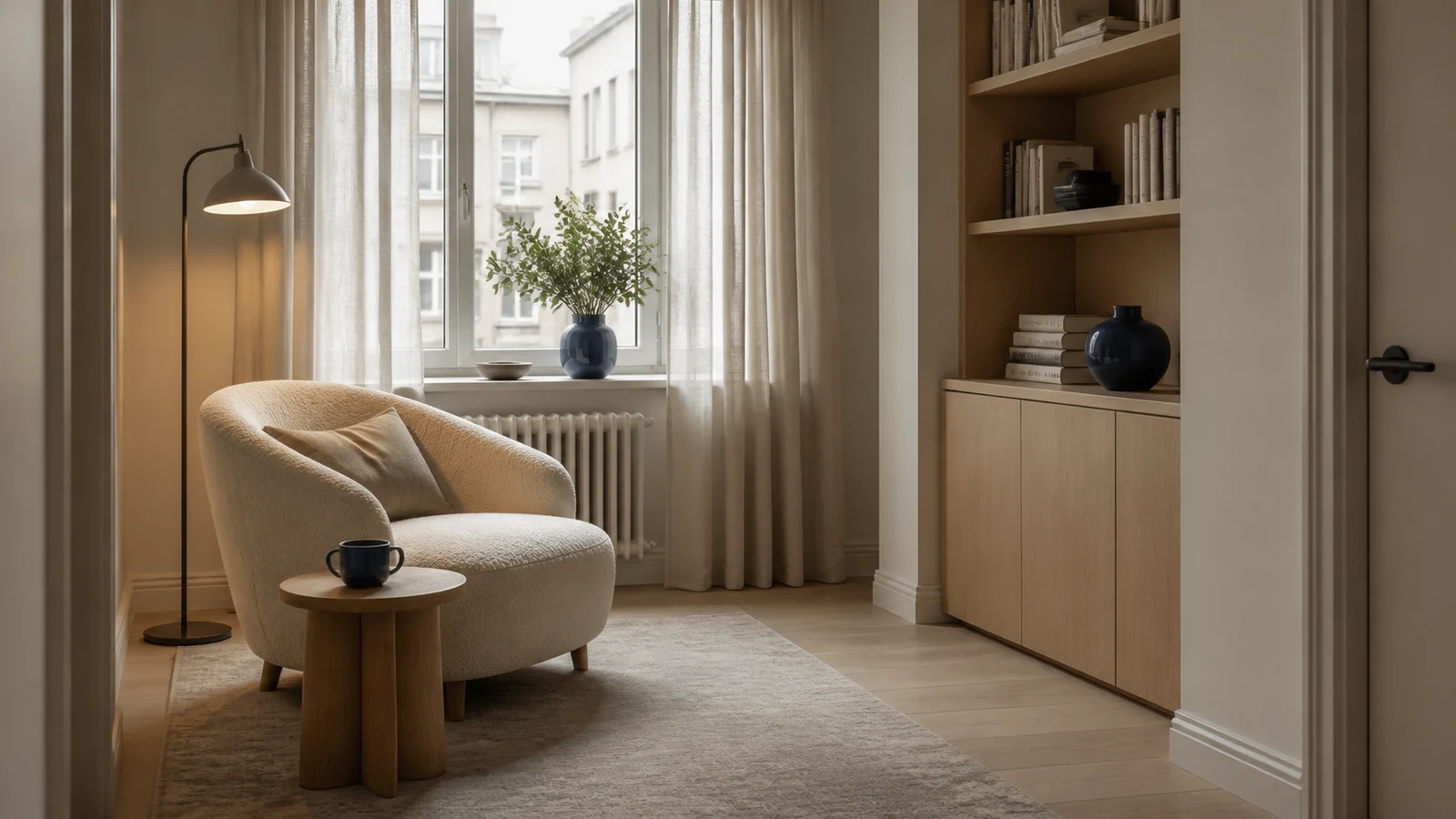
Wide realistic interior editorial photograph of a compact Scandinavian reading room in a small urban apartment: one cream boucle chair, light oak side table, linen curtains, one floor lamp, and a restrained built-in bookshelf. View from doorway height, balanced asymmetry, clear walking space, straight vertical lines, soft overcast daylight with warm practical lamp glow, cream, light oak, muted cobalt, and warm gray palette, no people, logos, visible text, brands, or watermark.

Why it works: The room size, furniture count, materials, camera position, geometry, and mixed lighting make the concept buildable rather than generic.

Refine next: If the layout is wrong, revise the camera position or furniture relationship before changing the style.

Blog header AI prompt example with a blank notebook and left-side copy space
Creative goal

Blog header image

Generate an editorial banner that deliberately leaves room for a headline.

Weak prompt

Creative desk image for a blog header.

Improved prompt

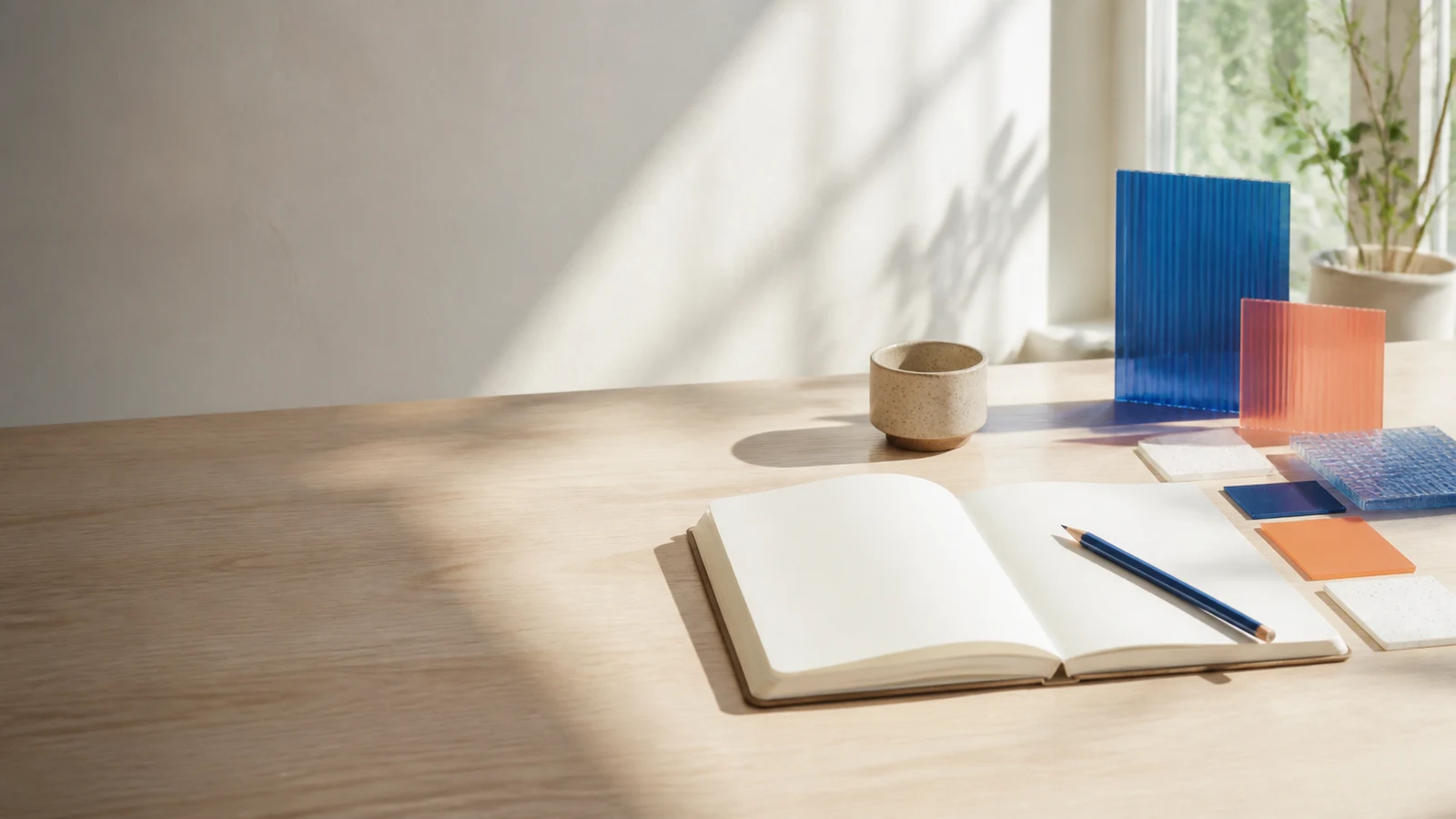
Wide 16:9 editorial still-life photograph for a blog article about calm creative workflows: contemporary sunlit studio desk with one completely blank open notebook, blue pencil, small ceramic cup, and translucent cobalt and coral material samples. Objects grouped on the right half, generous clean negative space on the left for a future headline, low eye-level angle, soft morning side light, ivory, cobalt, coral, and warm wood palette, no screens, devices, text, logos, brands, or watermark.

Why it works: The future headline affects composition before generation, and the short prop list keeps the banner readable at smaller sizes.

Refine next: Test the real headline over the empty area; if it feels crowded, change only object placement or camera crop.

AI poster prompt example with the exact words Night Market
Creative goal

Poster with readable text

Ask for one short, controlled headline inside an original illustrated poster.

Weak prompt

Make a night market poster with a title.

Improved prompt

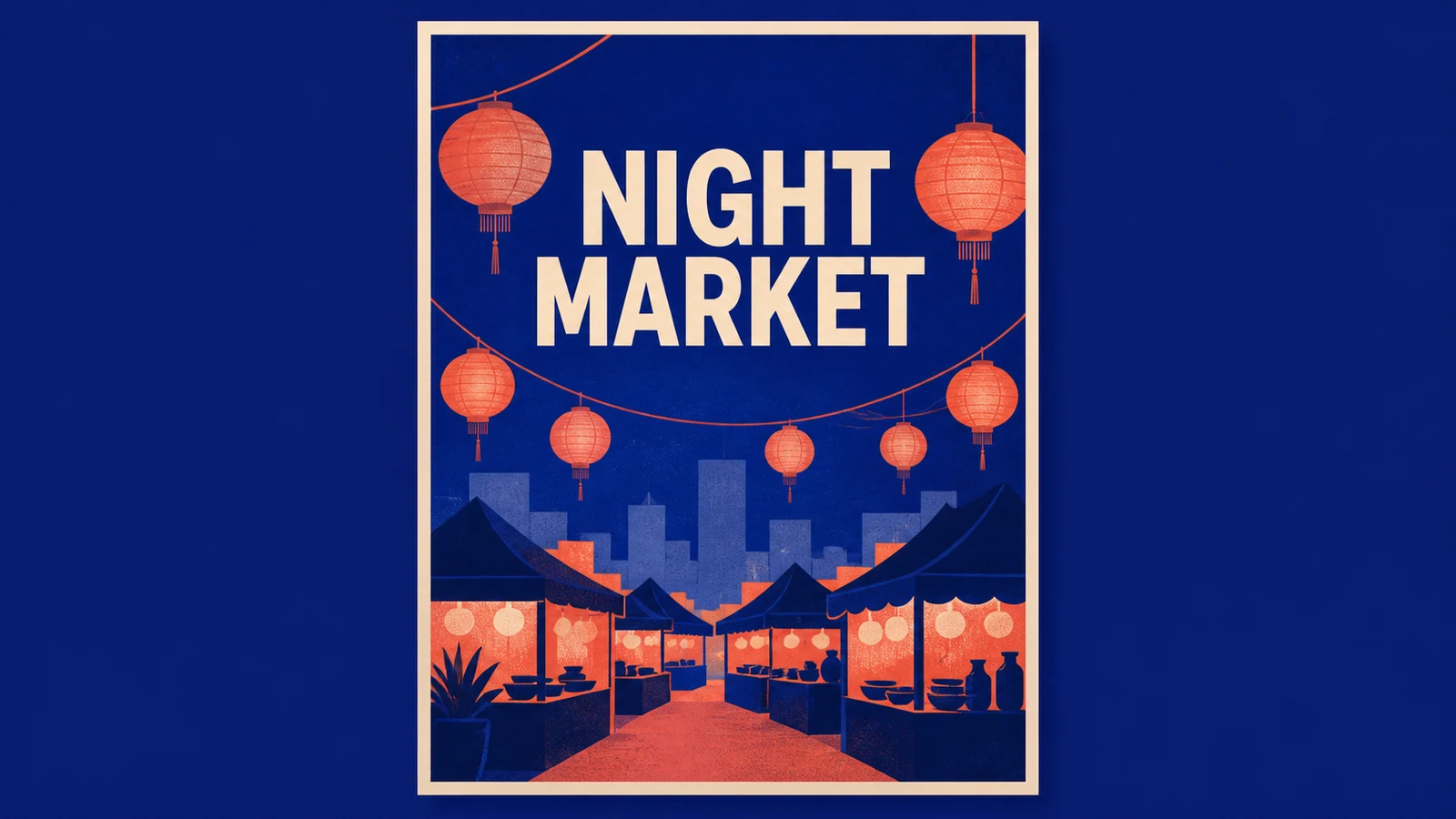
Original illustrated night-market event poster with the exact headline “NIGHT MARKET”. Deep cobalt evening field, simple coral paper lantern shapes, minimal geometric city silhouette, refined screen-print illustration with crisp flat shapes and subtle paper grain. Vertical poster centered inside a wide presentation canvas, strong margins, headline centered in the upper third, market silhouette below. Render NIGHT MARKET exactly once in large clean uppercase sans-serif letters. No other letters or numbers, logos, brands, sponsor marks, or watermark.

Why it works: The exact quoted copy, occurrence count, type treatment, placement, and prohibition on other text reduce ambiguity.

Refine next: If one letter is wrong, repeat the exact text and simplify the composition before changing colors or style.

Models and Settings

Keep universal prompt decisions separate from model controls

The visual brief can travel across tools, but syntax and settings cannot. Check the selected model before adding parameters or assuming a negative-prompt field exists.

Natural-language models

Write complete, direct instructions and use conversational follow-ups for edits. You do not need to turn every idea into comma-separated tags.

Parameter-based tools

Flags for aspect ratio, stylization, seed, or variation are model-specific controls. Keep them at the end and verify the current tool syntax.

Negative prompts

Some models provide a separate negative field, some use flags, and others follow plain-language exclusions. Use only the method supported by the selected model.

Reference images and output settings

A reference carries visual information that text cannot reproduce exactly. Choose model, ratio, resolution, and quality in the generator when those controls are available.

Troubleshooting

Fix the largest mismatch before adding more words

More detail is useful only when it resolves a visible ambiguity. Diagnose the result, edit the responsible part of the brief, and preserve everything else.

The result looks generic
The subject or intended asset is too broad.
Add defining subject traits and name the real use, such as product hero, portrait, or poster.
The scene is cluttered
Too many props, styles, or locations compete for attention.
Keep one focal subject, shorten the prop list, and specify a simple background.
The subject changes
Identity details are inconsistent or not anchored by a reference.
Repeat the essential traits, keep one name, and add a clean reference image when identity must match.
The framing or crop is wrong
The prompt lacks shot size, placement, or output purpose.
Name the aspect ratio in settings, then specify wide, close, full-body, centered, or rule-of-thirds framing.
Text is unreadable
The copy is long, unquoted, repeated, or mixed with visual instructions.
Use short quoted text, request it exactly once, define placement, and forbid all other writing.
The style feels inconsistent
Several media, eras, or lighting moods conflict.
Choose one medium and palette, remove incompatible style cues, and regenerate without changing the subject.
FAQ

AI image prompt questions

What is an AI image prompt?

An AI image prompt is a written visual brief that tells an image model what to create or change. It can define the purpose, subject, action, setting, composition, light, color, medium, and constraints, while model and output settings may remain separate controls.

How do beginners write AI prompts for images?

Start with one sentence naming the image's job, subject, and action. Add the setting and framing, then include only the lighting, style, and constraints that materially affect the result. Generate once and revise the biggest mismatch instead of rewriting everything.

How long should an AI image prompt be?

There is no universal word count. A few clear sentences are often enough when they contain concrete visual decisions. Add detail to remove ambiguity, not to make the prompt sound elaborate, and keep model-specific parameters separate.

Do the same prompts work across every image generator?

The core visual brief usually transfers, but syntax and behavior differ. Natural-language models, parameter-based tools, negative-prompt fields, reference inputs, and supported aspect ratios must be handled according to the selected model.

Should I use negative prompts?

Use exclusions when they protect an important constraint, such as no extra people, logo, watermark, or additional text. Some models have a separate negative field while others use flags or plain language, so check the tool instead of assuming one universal format.

How do I fix an image that does not match my prompt?

Identify the largest mismatch first: subject, composition, lighting, style, or an unwanted detail. Rewrite only the instruction responsible for that mismatch, keep the successful decisions unchanged, and generate again.

How should I ask an AI image generator to render text?

Keep the copy short, put the exact words in quotation marks, specify capitalization, style, and placement, request the text once, and prohibit all other writing. If spelling still fails, simplify the scene before adding more decoration.

Can I recover the exact prompt from an existing AI image?

Usually not. A vision model can describe the visible subject, composition, lighting, and style and help you draft a similar prompt, but the original prompt, model settings, seed, references, and generation history cannot be reconstructed reliably from pixels alone.

Turn the visual brief into an image

Start with the seven-part formula, generate one result, and improve the prompt one decision at a time.